Moving spreadsheet work into an app
Move a list kept in a shared spreadsheet (requests, fixed assets, sample tracking…) into an app with record history and permissions.
Steps
- Looking at the spreadsheet columns, define a table and its fields in the designer; pick lists and required fields are set here.
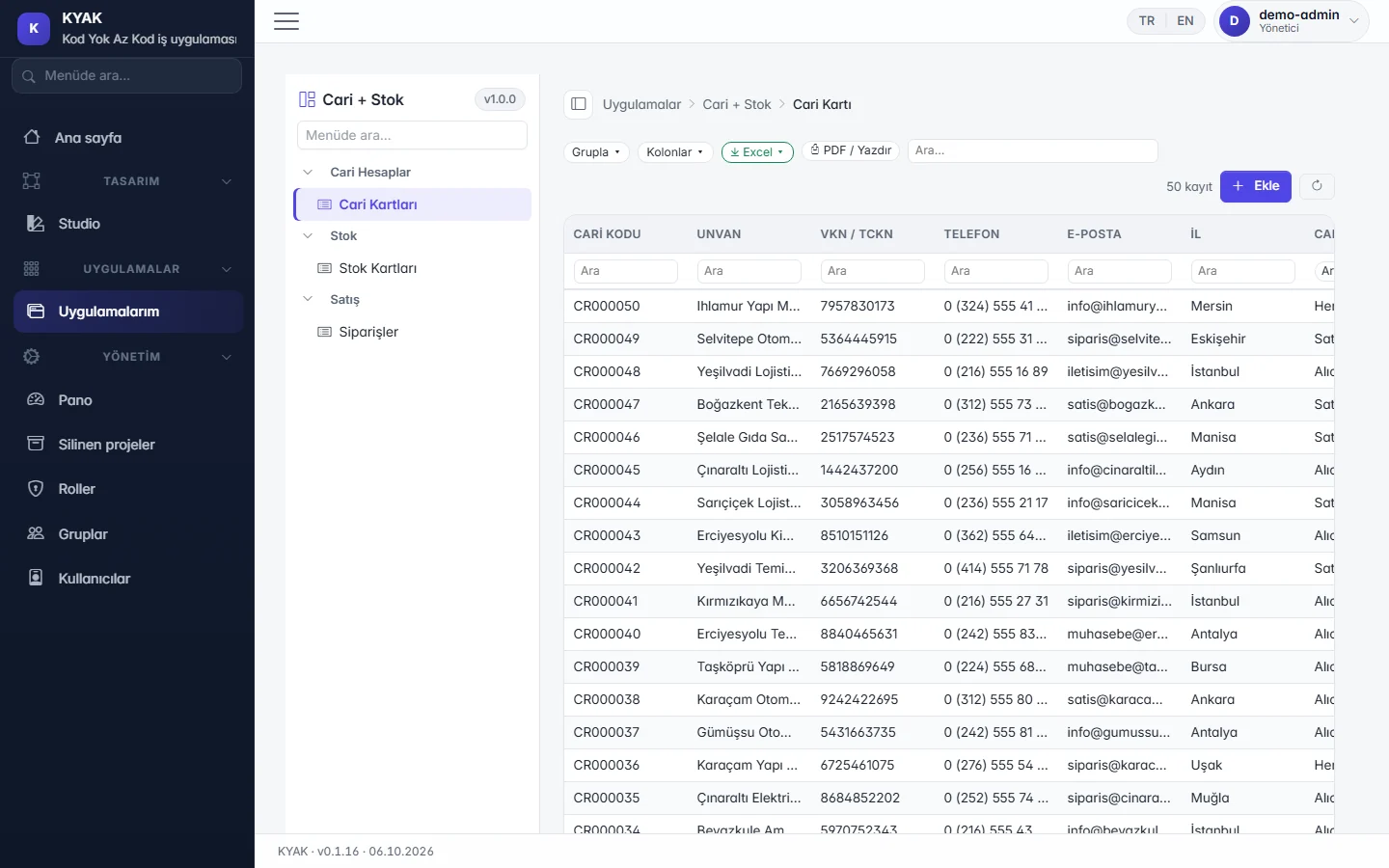
- Publish the project: its list, search, grouping and record form come ready.
- Download the import template from the list and paste the existing rows into the template columns.
- Import in bulk with validation: faulty rows are shown before anything is saved; if you do not like the result, undo the import.
- Use roles and groups to decide who sees and who changes the data; from then on every change is written to the history.
A good fit for
- Work where several people update the same list and nobody knows which copy is the latest.
- Records where you need to know who changed what and when.
Scope limit
- An arbitrary spreadsheet layout is not recognised automatically; data is filled in following the downloaded template's columns.
- Macros and cell formulas do not move by themselves; calculations are redefined with the formula helper.
- There is no live two-way sync with a spreadsheet file; moving data is a one-off or repeated import.
Features used and their status today
- In the demoWorking with ExcelExport lists to Excel with real numbers; download a template, fill it in, import in bulk with validation and undo if needed.
- In the demoDesigner (Studio)Tables, fields, relations, forms and the menu on one screen; changes stay in draft until you publish.
- In the demoReady-made lists and documentsEvery table gets a list with search, grouping, column picker and Excel/PDF export; header-and-lines documents with shortcuts matching the ERP you know (Logo, Mega, SAP).
- In the demoHistory and permissionsWho changed each record and when is tracked; project, form and menu permissions through user, group and role screens.
- In the demoDelete approval and archiveDeleted records are archived with a reason and can be restored by an authorised user.