Getting started guide for ERP consultants
A first-day roadmap for consultants who want to meet their customers' needs outside the ERP with small apps.
Steps
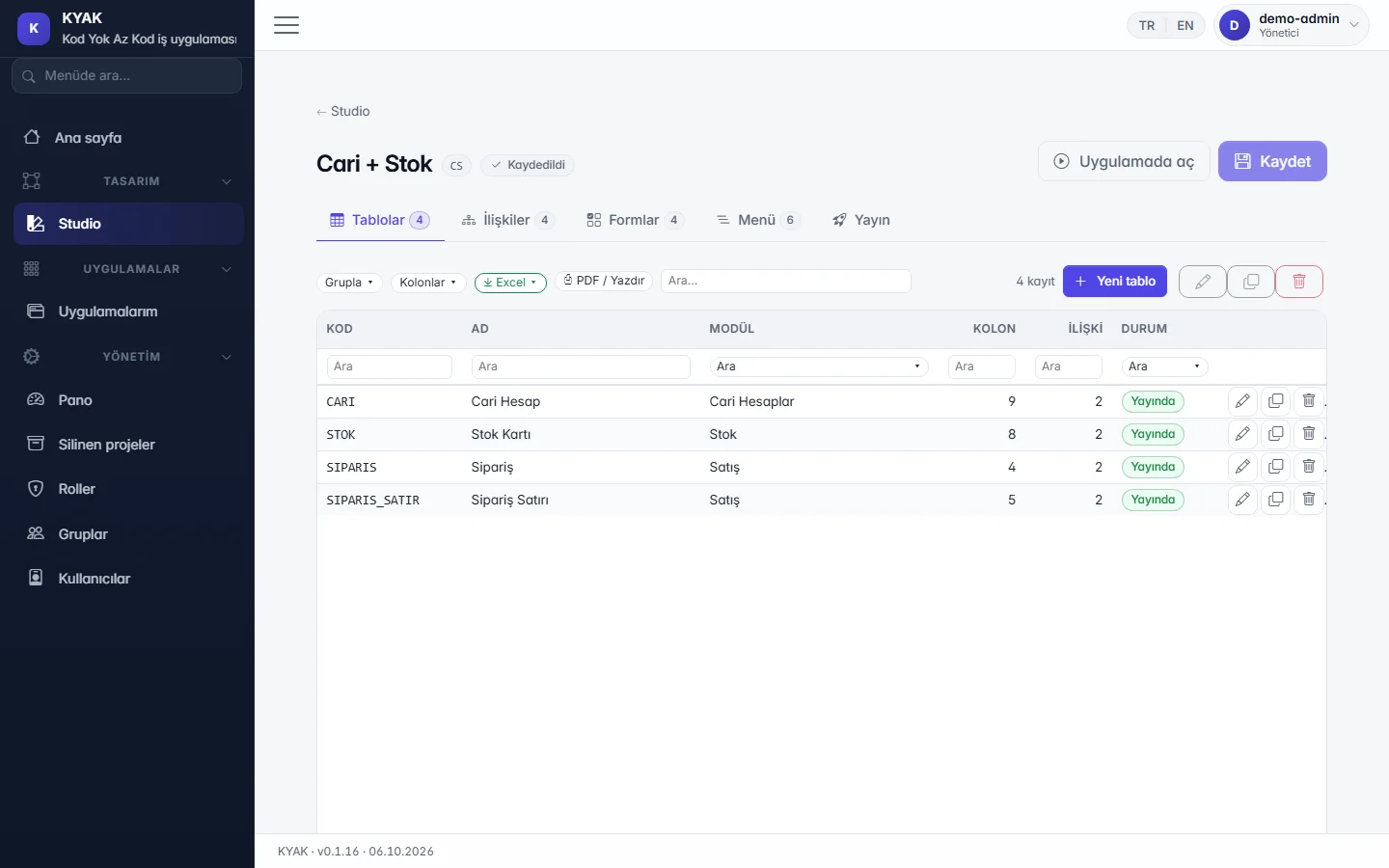
- Open the trade package template in the demo; see in the designer how the accounts, stock and order modules are defined.
- Start the customer's need with a single table; place the form in the visual designer and check the desktop and phone previews.
- Keep changes in draft, review them with the customer and publish; the published version runs separately from the draft.
- Set up users, groups and roles; hide fields or filter records by rule where needed.
- Discuss the deployment model with the customer: a separate cloud database or an on-premises install (open to pilot customers).
A good fit for
- Department needs that can be met without opening a software project next to the ERP.
- Apps shaped step by step together with the customer.
Scope limit
- Generating a project from the tables of an existing ERP database is «Planned»; today projects are defined in the designer.
- The app's own REST API is «In development»; connections with external software cannot be built on it today.
- Consulting, training and partner terms are not covered on this page; share your need through the form.
Features used and their status today
- In the demoDesigner (Studio)Tables, fields, relations, forms and the menu on one screen; changes stay in draft until you publish.
- In the demoTrade package templateCore modules such as accounts, stock and orders come as a starter template you extend to fit.
- In the demoVisual form designerDrag fields into place, resize them and preview on desktop, tablet and phone.
- In the demoHistory and permissionsWho changed each record and when is tracked; project, form and menu permissions through user, group and role screens.
- In the demoField- and record-level permissionsHide fields or make them read-only, filter records by rule.
- PilotCloud or on-premisesIn the cloud each company has its own database; the on-premises package installs with a wizard and data stays in your own SQL Server.
- PlannedGenerate a project from an existing databaseStart from the tables of ERP databases such as Logo, Mikro or Netsis.
- In developmentThe app's own REST APIA documented, permission-aware programming interface for every published app.