Setting up a header-and-lines document
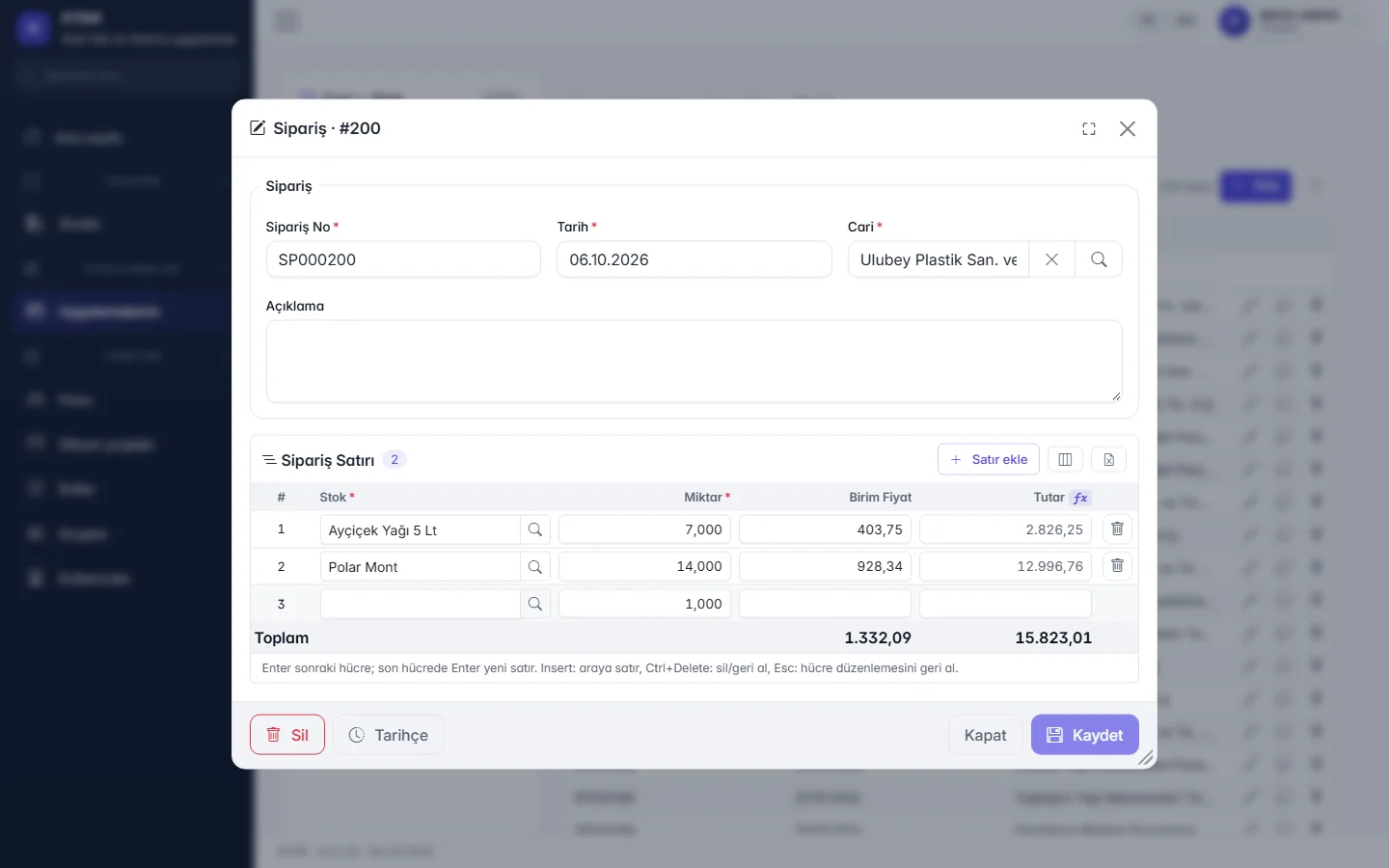
Set up a document with a header and lines — a request form, an internal order, a sample shipment — as a document screen whose amounts and totals are calculated by formulas.
Steps
- Define the header table (date, account, description…) and the lines table (item, quantity, price…) and link them.
- Write the line amount and document totals with the formula helper by picking fields from a list; add the rules to check before saving.
- Number documents with a template; choose which ERP habit the keyboard shortcuts follow.
- Optionally define a conditional approval workflow and a printable document template.
- Publish: the document list, the entry screen with a lines grid and single-step saving are ready.
A good fit for
- Internal processes your ERP does not cover but that work like documents.
- Forms with a variable number of lines, a total and an approval.
Scope limit
- The document is not posted to an ERP automatically; two-way integration with external systems is «Planned» on the roadmap.
- Generating e-Invoice and e-Archive documents is «In development»; it is not used to issue official documents today.
- It does not create stock movements, costing or accounting entries; those stay in your ERP.
Features used and their status today
- In the demoReady-made lists and documentsEvery table gets a list with search, grouping, column picker and Excel/PDF export; header-and-lines documents with shortcuts matching the ERP you know (Logo, Mega, SAP).
- In the demoFormulas, validation, numberingLine amounts, totals and conditions with the formula helper; rules are checked before saving and document numbers follow a template.
- In the demoPrintable document templatesSingle-page PDF or print-out from a record; batch printing from the list.
- In the demoApproval workflowsConditional, multi-step approval for records and documents; pending approvals arrive as notifications.
- In the demoTrade package templateCore modules such as accounts, stock and orders come as a starter template you extend to fit.